
安装
| 项目 | 要求 |
|---|---|
| 操作系统 | macOS 13+、Windows 10 1809+、Ubuntu 20.04+、Debian 10+、Alpine 3.19+ |
| 内存 | 4 GB 及以上 |
| 架构 | x64 或 ARM64 |
| 网络 | 需要联网 |
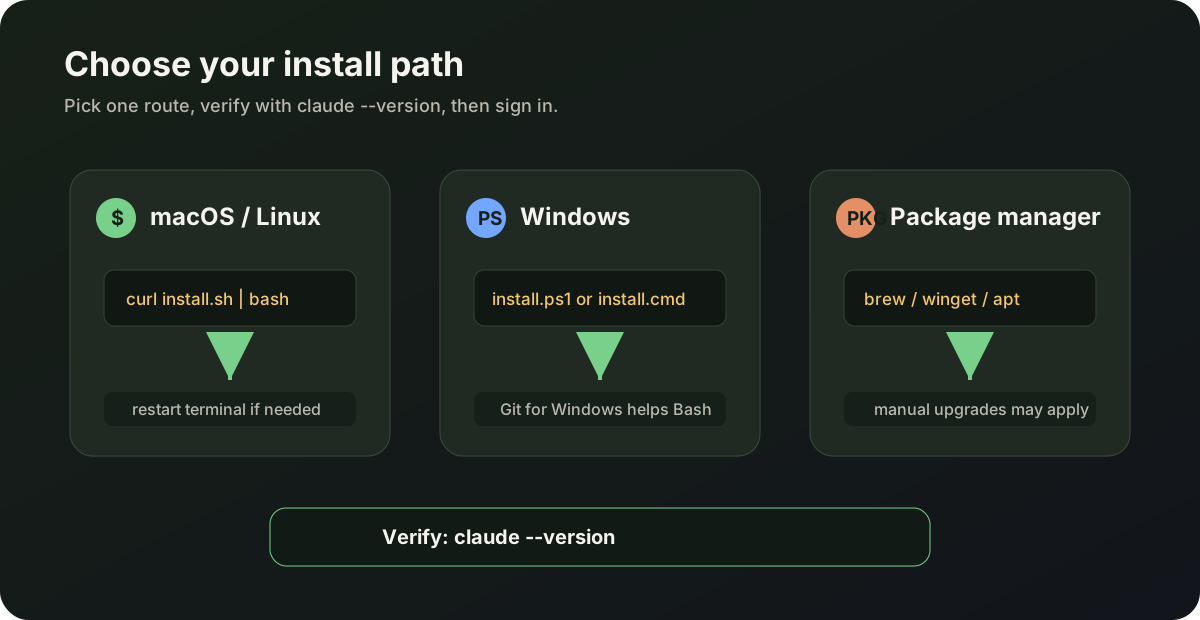
claude —version 验证是否安装成功。推荐:Native 安装
Section titled “推荐:Native 安装”自动后台更新,一般最省心。
curl -fsSL https://claude.ai/install.sh | bashPowerShell:
irm https://claude.ai/install.ps1 | iexCMD:
curl -fsSL https://claude.ai/install.cmd -o install.cmd && install.cmd && del install.cmdWindows 建议安装 Git for Windows,以便使用 Bash 工具。
Homebrew(macOS)
Section titled “Homebrew(macOS)”brew install --cask claude-codeclaude-code:稳定通道claude-code@latest:最新通道
Homebrew 不会自动更新,需手动:brew upgrade claude-code
WinGet(Windows)
Section titled “WinGet(Windows)”winget install Anthropic.ClaudeCode需手动:winget upgrade Anthropic.ClaudeCode
Linux 包管理器
Section titled “Linux 包管理器”Debian / Ubuntu、Fedora / RHEL、Alpine 等可用 apt、dnf、apk 安装,详见官方 Setup。
claude --version命令找不到 claude
- 重启终端,或把安装目录加入
PATH - Native 安装后按终端提示执行
source相关配置
Windows 上 Bash 不可用
- 安装 Git for Windows,或在 WSL 内使用 Claude Code